How do I add my calendar availability directly in an email?
1. Select the Calendar icon at the top of the compose window.
2. You can choose to view your calendar that day, over the course of 7 days, or you can set a custom date range.
3. A pop-up will appear with your availability, select the appropriate dates and times here.
4. Once you have completed this step, select Done. Your availability will show in the message body.
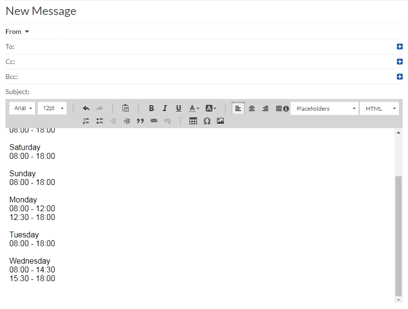
5. To change your time availability, go to Calendar Preferences.
Related Articles
How do I manage tasks (add new, edit, archive) in Webmail?
You can use tasks by creating them directly from the Task list or by saving an email as a task. To create a task: 1. In the Task list, click on the Add task icon. 2. In the Add new task dialog, complete the following: Enter a name for the task. If ...
How do I add email addresses from my contact form to my email marketing contacts?
You can auto populate your contacts directly from a form you create in our website editor. If you have not created a contact form using our website editor, click here for more information on creating a custom form. Log in to your dashboard and select ...
How do I write my email survey?
Your survey messaging should speak to your customer. A change to your message can mean the difference between a new 5-star review and your request going straight in the trash. To learn more on how to use Testimonial Collector to send email surveys to ...
What is the Email Marketing tool?
Our Email Marketing tool allows you to create and manage email campaigns directly from your dashboard.
How do I block out time in my calendar?
There are a few ways to block time in your calendar and prevent customers from booking during a specific time or a recurring time. Manually Block Time on Your Calendar Instructions: Go to your calendar page. Click anywhere on the calendar (preferably ...