How do I filter my email inbox?
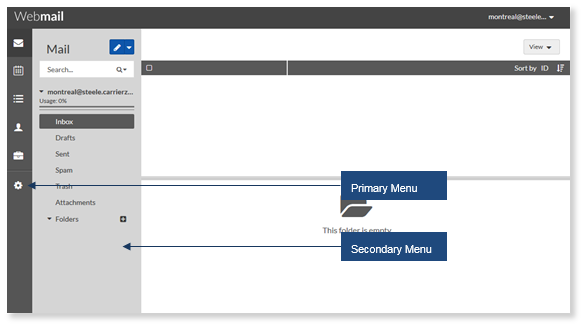
The Inbox displays all inbound messages but also includes filters, which allows you to show emails that have been tagged as tasks. The filters allow you to display the Inbox only, Tasks only, or both.
To Change your Inbox Filter Setting:
- From the Mail drop-down, click Inbox Settings.
- Select the Filter option.
- Click anywhere outside Settings to collapse the Filter options.
Related Articles
How do I search my email inbox in Webmail?
To search the Inbox: In the Secondary Menu, enter the search parameter Select the search criteria from the drop-down. Click Search (only the emails containing the search parameter are displayed). Messages containing the specified keyword will be ...
How do I filter my feed in Competition Tracker?
To view your Competition Tracker feed, select the Competition Tracker tile. You can filter your feed by Competitor, Emotion, Post Type, and Date Range. Competitor Filter Emotion Filter Post Type Filter Date Range
How do I set up my email on my iOS mobile device?
To set up email on your mobile device (iPhone), first tap on the settings icon on your phones home scree. Select Passwords & Accounts. Select Add Account. Select Other. Select Add Mail Account. Enter your account credentials. Settings are specific to ...
How do I filter my Competition Tracker feed in the mobile app?
Select the Competition Tracker tile. Select the filter icon. You have the option to filter by competitors, emotions, posts, and date range. Select a competitor to view their posts. Select an emoticon to filter your feed by emotion. Select the ...
How do I filter my Reputation Manager feed in the mobile app?
Select the Reputation Manager tile. Select the filter icon. You can filter by Post, Emotion, and Date Range. Select All Posts, My Posts, or My Customer Reviews. Select the dropdown arrow to filter by emotion. Select the dropdown arrow to select a ...